How much did I spend on fuel this month?
View your fuel spending by month. You don't have to keep the total of individual receipts in your head.
Android APK & upcoming iOS update
Torklet is a free app that keeps your fuel receipts, vehicle expenses, and GPS trips in one place. Snap your receipt, check the details, and save. See your consumption and spending based on your own records.
No adapter is required for fuel, expense, and GPS trip tracking.
Android APK: 0.1.3 (14) · 102 MB · Android 7.0+ · Google Drive
Free. No account, no ads, no tracking.
How to go from receipt to analysis?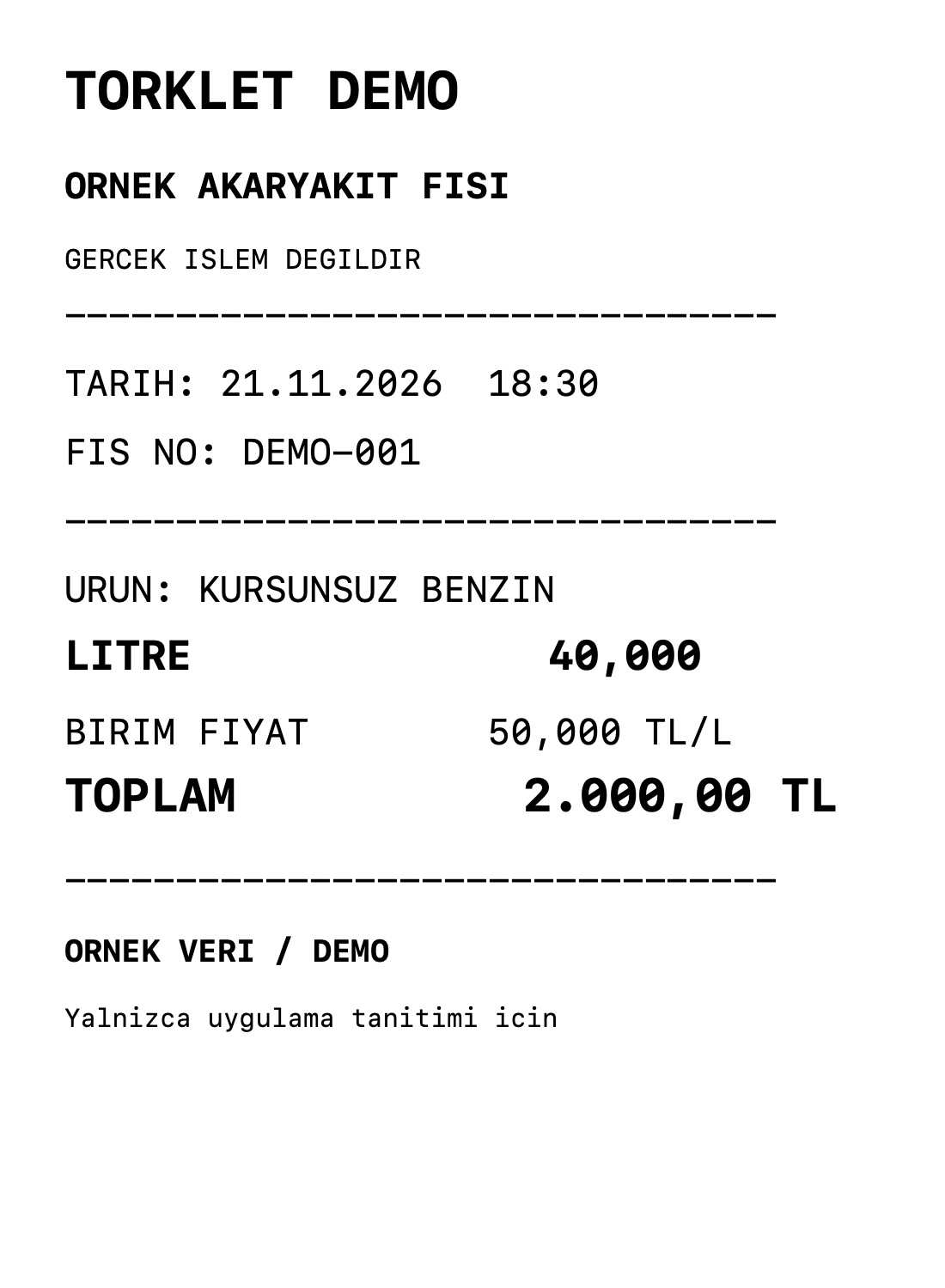
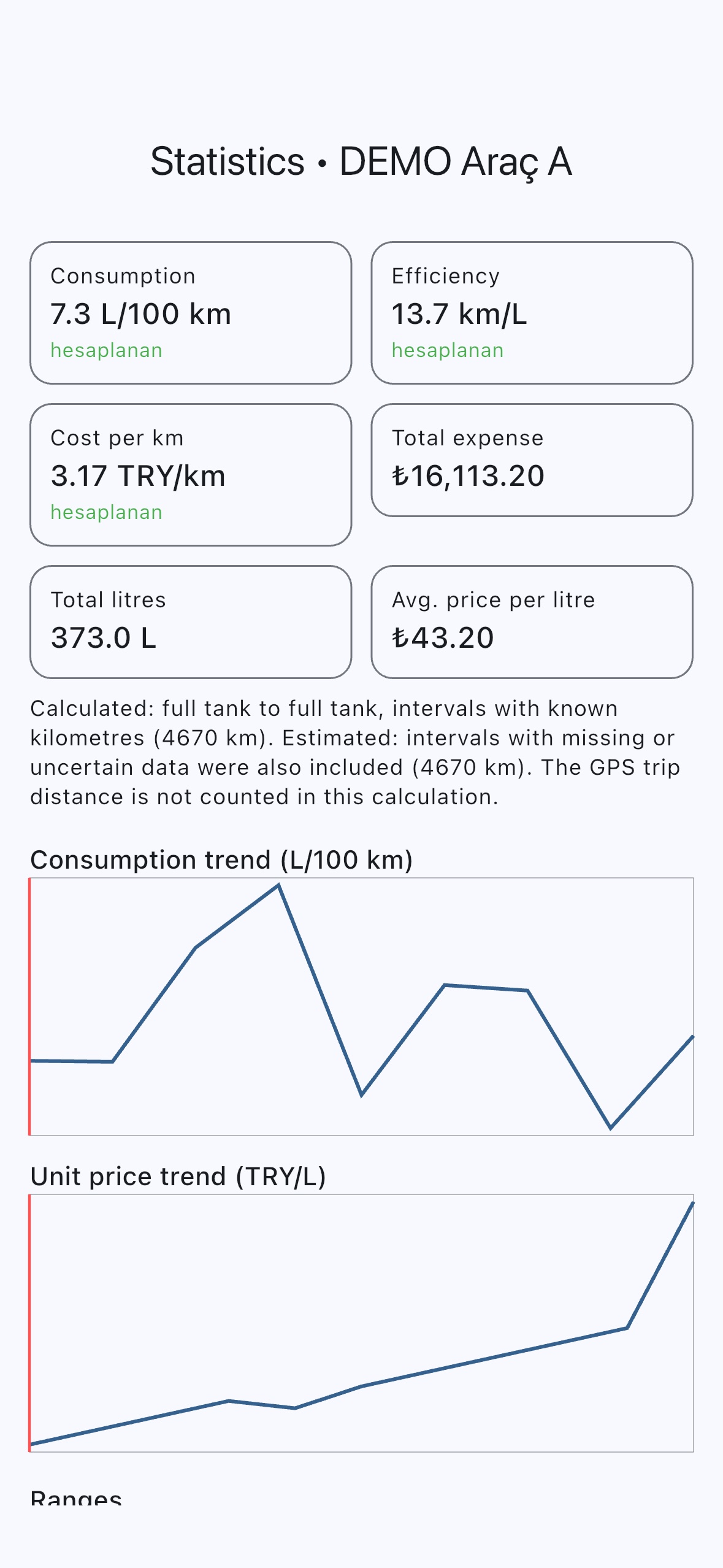
Sample receipt and demo records · Real app screen
Clearer answers about your own vehicle
It is easy to remember one amount. You need records to see fuel, maintenance, and driving for several months together.
View your fuel spending by month. You don't have to keep the total of individual receipts in your head.
Examine your consumption calculated from full tank and odometer records and its trend over time.
See your GPS distance, total driving time, and moving and stopped times all together.
The receipt is the start of your next answer
Your phone reads the information in the photo. You turn the correct information into a record.
Open 'Add Fuel' in the Fuel section. Snap the receipt or select an existing photo.
Found information such as liters, unit price, total amount, and date will appear on the form. You can correct any wrong or missing fields.
When you press save, the record is created. Your receipt photo will also remain with the relevant record.
Two full tank records with mileage are required for consumption calculation. Estimates based on incomplete data are shown separately.
Open the fuel receipt entry guide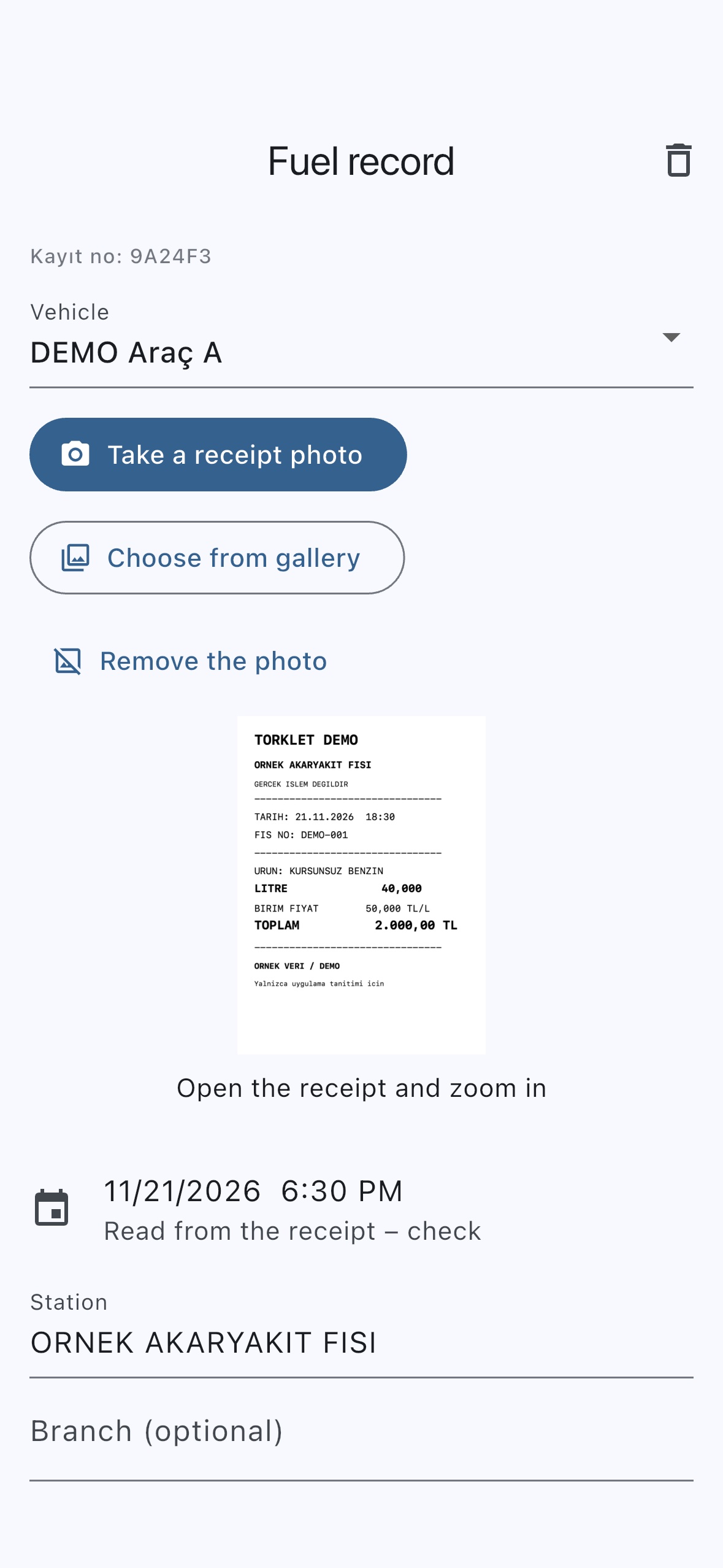
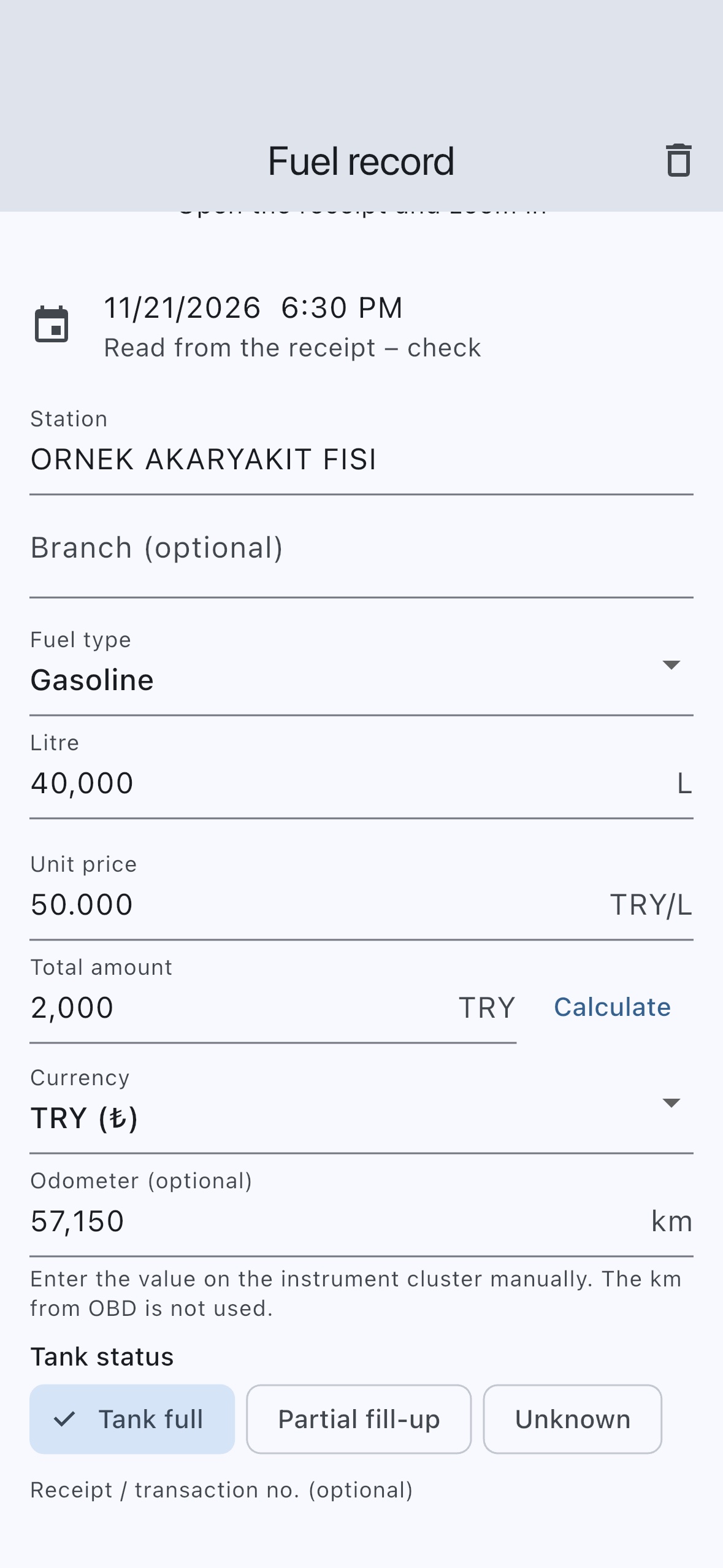
Accumulated records, more meaning
See what you pay, how much you drive, and how your records change. Every account tells a story based on the data you add.
Consumption, fuel cost per kilometer, and monthly fuel spending. Compare filled tanks over time.
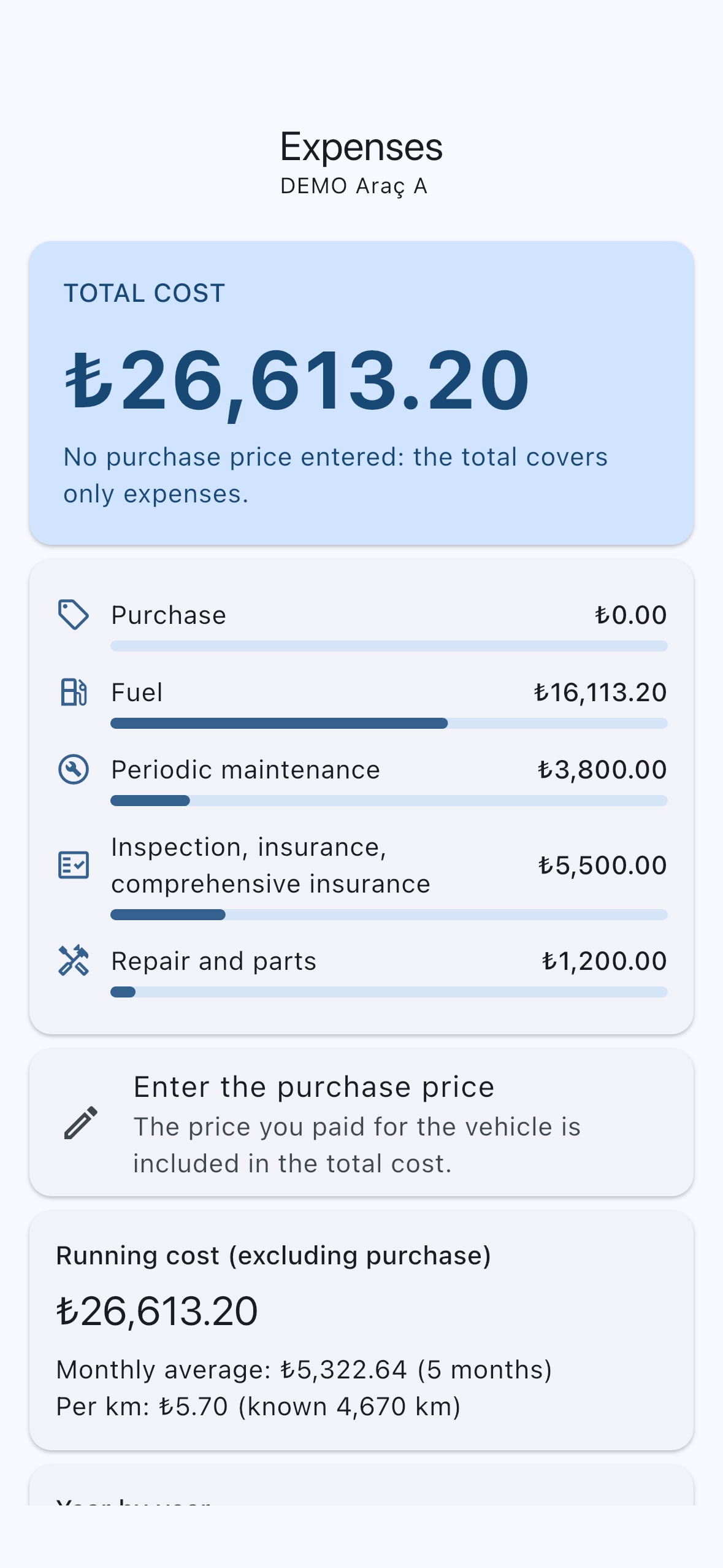
Fuel, maintenance, insurance, inspection, and repair expenses you record are all in one table. See your operating costs and, for applicable records, the cost per kilometer.
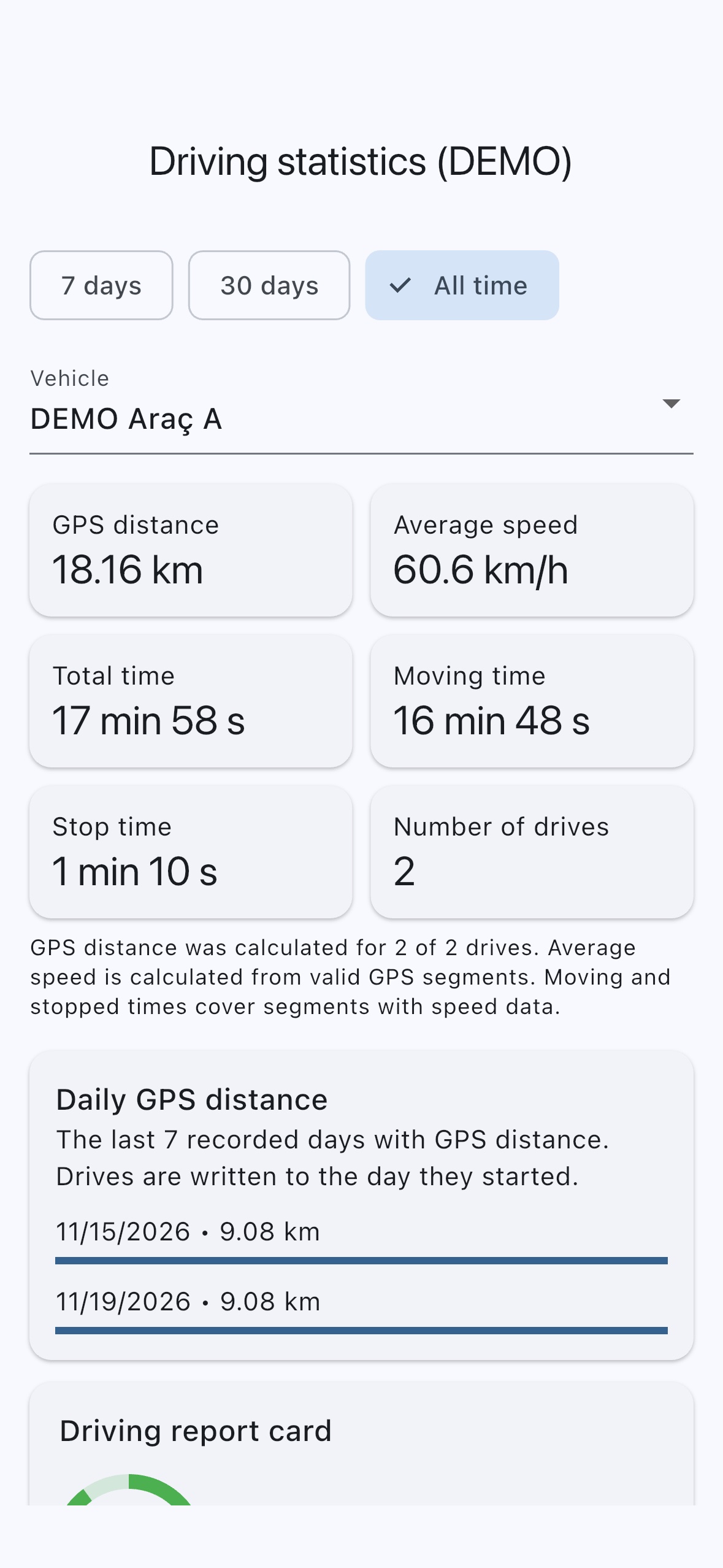
Review the last 7 days, 30 days, or all time. Get to know your own driving history through the distance and duration of your trips.
Where to start after downloading?
Start with your next fuel receipt. As you add them regularly, your vehicle's history will build up automatically.
Select your vehicle and add your receipt in the Fuel section. Check the read information and save it.
See your consumption calculation once you enter the mileage. If you have missing records, follow the explanation in the results.
Compare your fuel spending between months, recorded maintenance expenses, and driving summaries. Return to previous receipts and notes.
If you want to see it first, turn on Demo mode in the Settings section. Sample records will not change your personal data.
Fuel receipts, consumption calculation, expense and maintenance records, GPS trip logging, and navigation. You don't need to buy extra hardware for these.
Live engine data, gear estimation, and fault codes supported with a compatible Bluetooth LE OBD-II adapter. Not every vehicle may provide every sensor data point.
Learn about adapter compatibilityStart using it without filling out a membership form. No ads or tracking.
Apple Vision on iPhone and on-device text recognition on Android are used. Receipt photos are not uploaded to a server for this process.
Your receipts, expenses, and trips stay with you. You initiate exporting and sharing.
Privacy detailsTorklet is a free vehicle tracking app that keeps your fuel receipts, vehicle expenses, and GPS trips in one place. You can verify and save information read from receipt photos, and analyze consumption, fuel spending, distance, and driving duration.
Don't keep your fuel receipts, maintenance notes, and trips in separate places. You can record your expenses to see how much fuel you've purchased, what you've paid each month, and your cost per kilometer if your records are suitable. No OBD adapter is required for these features.
Every new record is added to your vehicle's history. You can compare your fuel spending by month, see consumption trends from full-tank and mileage records, and review your maintenance and expenses retrospectively. Calculations are based solely on the data you add.
Text in the photo is read on your phone; information that can be found, such as liters, unit price, total amount, and date, is transferred to the form. Reading results depend on the receipt's language, layout, and photo quality. You can check and correct the information, and add mileage and tank status. No record is created until you tap save.
Calculated consumption requires two full-tank records with mileage entered. Estimates generated with missing or ambiguous data are marked accordingly. GPS trip distance is not included in this fuel calculation.
The 13 languages refer to the app interface support. Reading from receipts does not work with the same accuracy for every receipt language and layout; it is necessary to check the read information. You can complete the record manually if needed.
For vehicle data such as RPM, engine load, and fault codes, a compatible Bluetooth LE OBD-II adapter is required, and your vehicle must support the relevant data. Fuel, expense, and GPS trip records work without an adapter.
Your receipts and records are kept on your phone; they are not automatically sent to the developer. You initiate any sharing. Maps and navigation are processed via Apple, and weather temperature queries based on your approximate location are processed via Open-Meteo when you grant permission. Details are on the privacy page.
Download Torklet. Start with your first fuel record.
Android APK: 0.1.3 (14) · 102 MB · Android 7.0+ · Google Drive
Free. No account, no ads, no tracking.
Open user guide